Our all-new tablet starts here
Galaxy Tab S11 is seen showing a webpage about the Korean dessert, bingsu, on the main screen. Using natural conversation, you can then ask Google Gemini about anything you see on the screen. Google Gemini logo is shown.
Talk to Google Gemini about what you see
Go Live and share your camera with Gemini on your Galaxy Tab S11 to get help about what you see. Just long press the side button to get started and share your screen or camera view with Google Gemini to ask for advice. Have a free-flowing conversation that can help you get the answers you're looking for.
Notably thin and powerful
Galaxy Tab S11 displaying the Notion app in use, with a larger second screen on the left using Samsung DeX, highlighting smooth multitasking with an extended workspace for better productivity.
Slim and light. feels just right.
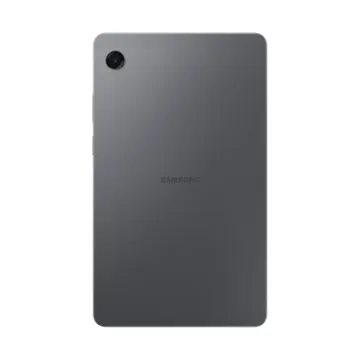
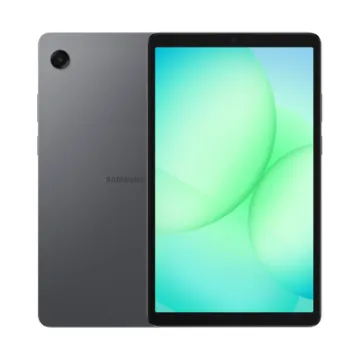
A Galaxy Tab S11 device shown in silhouette in a dark setting, then angled to reveal its front display with vibrant wallpaper. A second Tab S11 appears behind it, showing the rear design to highlight the sleek profile.
Sleek. seamless. refined.
Every detail of Galaxy Tab S11 is streamlined to give you powerful performance into a beautifully sleek form. From improved camera design, to the removed wireless charging slot and enhanced slim bezel, every angle is thoughtfully engineered to seamlessly merge superior function with elegant design. Choose from Gray and Silver, two stylish colors that look as premium as they feel.
From idea to AI-sketch to notes, instantly
Just sketch it, and let AI take it from there. With Drawing Assist, your rough drawing is transformed into a polished AI-generated image in seconds. Once it's ready, drop it into Notes to keep your ideas going. Quick, simple, and seamless.
Smarter writing, made simple
Writing Assist helps you refine and transform your text in seconds. Effortlessly draft, craft and revise any piece of writing to match your intended meaning and turn thoughts into polished, ready-to-use content. Adjust the style and tone with a few taps, to convey your message just the way you want it. Then easily drag and drop the enhanced version into one of many supported apps in your workspace.
Light to carry. built to perform
From streaming to gaming, the superior display let's you experience your favorite entertainment like never before—at home and on the go.
Slim. thin. optimized
Galaxy Tab S11 is even slimmer and lighter than Galaxy Tab S9. Its refined profile makes it easy to hold, pack, and carry. So you can work and create wherever inspiration strikes.
Upgraded for more angles
Enjoy a more immersive view from every angle with the Galaxy Tab S11's thinner bezel design and upgraded brightness. Fully immerse yourself in massive displays that deliver stunning visuals, even in bright, sunlit outdoor environments.
Smart AI. seamless performance.
Fuel every moment with ultra-fast performance, now enhanced for AI. Galaxy Tab S11’s upgraded processor works to deliver stunning graphics, smooth multitasking and next-level speed. Improved NPU, CPU and GPU let you experience silky smooth scrolling and ultra low lag as you seamlessly switch between all your favorite features, apps and content in the blink of an eye.
Lasts as long as you do
Stay powered through your busiest days with lightning fast charging, longer-lasting battery that delivers up to 18 hours of video playback.
Safe from drops and dust
Wrapped in enhanced Armor Aluminum and IP68 Galaxy Tab S11 is built to withstand whatever the day throws it's way.
Productivity powerhouse with Samsung DeX
Samsung DeX lets you extend your Galaxy Tab S11’s display to create a seamless multitasking environment of up to 4 workspaces. Move apps freely and easily between screens to keep your workflow smooth and efficient. Increase your productivity with a multi-screen experience as you drag and drop windows between screens, or enjoy content saved to your Galaxy Tab S11 in a home-theater setting by mirroring it to your monitor.
Quick access to Quick tools
Instantly access the Quick tools menu right from S Pen. Update settings like thickness, color, favorites, Note Assist, and more in a flash.
Quick thoughts. big impact
Easily attach Sticky note to Samsung Notes files using the S Pen. Keep important details in sight where you need them, every time.
Your apps. your way
Galaxy Tab S11 comes preloaded with apps like Goodnotes, LumaFusion, Clip Studio Paint, and Notion. Making it easy to take notes, edit, draw and stay organized from the start. You’ll also have access to optimized apps like Noteshelf 3, ArcSite, Sketchbook, and Picsart, all designed to run smoothly and enhance your creative experience.
The ultimate dream team
A flat lay of Galaxy Tab S11 displaying a colorful drawing in Clip Studio Paint app, surrounded by a half-open Galaxy Z Flip7 with a similar image onscreen, Galaxy Watch8 Classic, Galaxy Buds3 Pro and S Pen.