See the highlights
Galaxy Tab S10 Lite displayed horizontally showing a vivid image of a woman in red dress on the beach with arms outstretched against a blue sky and ocean horizon, expressing a free-spirited mood. The expansive scene extends beyond the screen edges, highlighting the large 10.9-inch display and immersive viewing experience that brings content to life. Galaxy Tab S10 Lite displayed horizontally showing a vivid image of a woman in red dress on the beach with arms outstretched against a blue sky and ocean horizon, expressing a free-spirited mood. The expansive scene extends beyond the screen edges, highlighting the large 10.9-inch display and immersive viewing experience that brings content to life.
View more on a 10.9" display
S Pen is used in Notes app on the screen of Galaxy Tab S10 Lite to automatically align the handwriting of a messy note using the Handwriting Help feature. S Pen is used in Notes app on the screen of Galaxy Tab S10 Lite to automatically align the handwriting of a messy note using the Handwriting Help feature.
Capture ideas with S Pen
Flat lay view of Galaxy Tab S10 Lite paired with Smart Book Cover featuring an S Pen compartment on the side, next to one with Book Cover Keyboard Slim attached and Anti-Reflecting Screen Protector applied. On the right, another device is shown with Book Cover Keyboard and an S Pen compartment visible, highlighting accessory compatibility and protective options. Flat lay view of Galaxy Tab S10 Lite paired with Smart Book Cover featuring an S Pen compartment on the side, next to one with Book Cover Keyboard Slim attached and Anti-Reflecting Screen Protector applied. On the right, another device is shown with Book Cover Keyboard and an S Pen compartment visible, highlighting accessory compatibility and protective options.
Pair easily with Galaxy accessories
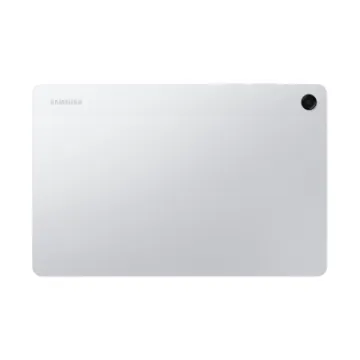
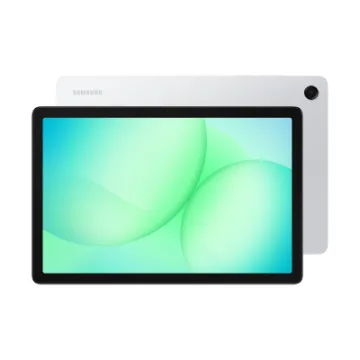
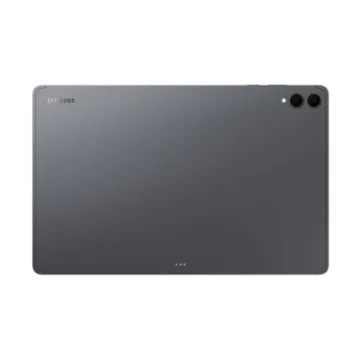
Galaxy Tab S10 Lite is a slim tablet that's only 6.6 mm thin and lightweight, making it easy to carry in your tote, backpack, or hand. This large screen tablet comes in three stylish colors — Gray, Silver, and Coralred — that looks as good as it feels. Whether you're commuting or relaxing at home, this lightweight tablet is designed to fit your lifestyle with effortless portability.
Easy-to-carry. Style-ready
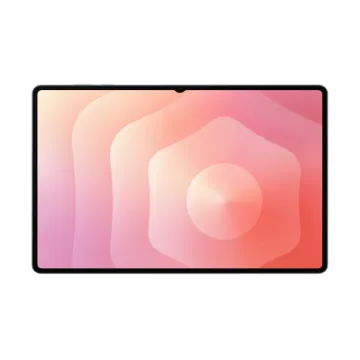
Galaxy Tab S10 Lite in Gray displayed horizontally with an S Pen magnetically attached to the top side, highlighting easy pen storage. Behind it, another Galaxy Tab S10 Lite in Gray shows a vibrant screen with colorful wallpaper, emphasizing the large display for immersive viewing. A side view showcases the sleek 6.6 mm thin design that sets it apart as a stylish, modern tablet. Galaxy Tab S10 Lite in Gray displayed horizontally with an S Pen magnetically attached to the top side, highlighting easy pen storage. Behind it, another Galaxy Tab S10 Lite in Gray shows a vibrant screen with colorful wallpaper, emphasizing the large display for immersive viewing. A side view showcases the sleek 6.6 mm thin design that sets it apart as a stylish, modern tablet.
Vibrant as your vision. Expansive as your ideas
Galaxy Tab S10 Lite features a 10.9-inch large display with a 90 Hz refresh rate for smooth scrolling and responsive motion while you watch, read, or create. The screen also includes SGS-certified blue light reduction to help reduce eye strain during long viewing sessions. From streaming your favorite content to editing projects, this display keeps it vivid and clear.
Power to do more. Space to keep it all
Performance stays smooth while you stream, browse, or multitask thanks to up to 8 GB of memory. You get up to 256 GB of internal storage, expandable up to 2 TB with microSD card. This tablet with pen support makes it easy to capture ideas and work efficiently, giving you the space and speed you need to create without interruptions and keep everything in one place.
Scribble with S Pen. Math instantly solved
Struggling with a complex math formula? Just write it out with S Pen and Solve Math will automatically calculate the answer for you. This tablet makes study sessions simpler by letting you tackle math problems quickly without switching apps or losing focus. Whether you're working on assignments or practicing equations, it helps you learn and move forward.
Write it your way with S Pen.
Handwriting Help lets you quickly tidy up messy handwritten notes to keep your work looking polished. You can straighten uneven lines, make spacing consistent, align letters, and correct letter shapes in an instant. Jot down ideas, take study notes, or sketch freely with S Pen — your handwriting feels effortless.
One press. The key to AI
Tap the dedicated Galaxy AI key to instantly access smart help when you need it. With just one press, you can launch your favorite AI assistant to get quick answers, helpful suggestions, or real-time support while you stay productive. With AI at your fingertips, tasks feel simpler and faster on your Galaxy Tab S10 Lite.
Instant edits with Object Eraser
Remove background distractions or unwanted objects in your photos with Object Eraser. Just trace around the area you want to remove using S Pen, and it disappears. You can create clean, professional images without extra editing apps or complicated steps. From photobombers to cluttered backgrounds, Object Eraser makes your pictures look distraction-free.
Super fast charging for a full on-the-go day
Stay unplugged longer with the 8,000 mAh battery tablet designed to handle work, study, and entertainment without interruptions. When it's time to recharge, Super Fast Charging powers up the battery in no time, so you don't have to wait around. This fast charging tablet is perfect for busy mornings, back-to-back plans, or long streaming sessions with reliable power that keeps up with everything you do.
Compatible with Galaxy accessories you love
Galaxy Tab S10 Lite works seamlessly with a variety of tablet accessories, including Book Cover Keyboard, Book Cover Keyboard Slim, Smart Book Cover, and Anti-Reflecting Screen Protector. These compatible options can help you type more comfortably, enjoy hands-free viewing, and protect your screen with added clarity — so you can personalize your setup to fit your needs.
Galaxy Spotlight apps. Create like a pro
Unlock more creativity on Galaxy Tab S10 Lite with pro-grade apps. Get inspired with Clip Studio Paint, Goodnotes, LumaFusion, Notion, Noteshelf 3, ArcSite, Sketchbook and Picsart.

 5G
5G  Internet
  Postpaid 5G
 5G Mobile Bundle
 Mobile and Tablets
  Computing
  Laptop
 PC Monitors
 Printers
 Gaming
 Accessories
  Home and Cars


 My account
 Track order
 Contact us
 Wishlist
 Main website